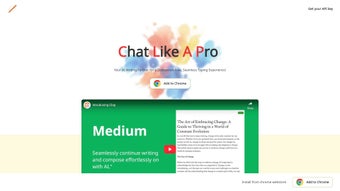

Download Clap AI Assistant – Free, Secure & Smart Writing Tool for Windows, Mac, Android & iOS
Discover Clap AI Assistant, the next-generation AI-powered writing tool designed to elevate your writing experience across Gmail, Reddit, GitHub, and more. With real-time typing suggestions, context-aware content generation, and multi-language support, Clap seamlessly integrates into your workflow without disrupting your rhythm. Whether you're drafting emails, writing code comments, or engaging in online discussions, Clap adapts to your style and environment. The privacy-first approach ensures your data stays secure—no content is stored or used to train AI models. Try the free trial today and experience how Clap can boost your productivity, clarity, and confidence in every sentence.
Real-Time Writing Assistance That Feels Natural
Clap AI Assistant redefines how you write online by offering intelligent, real-time suggestions that adapt to your context—whether you're composing a professional email in Gmail, contributing to a GitHub pull request, or posting on Reddit. Unlike traditional grammar checkers, Clap doesn’t just correct errors; it anticipates your next sentence, offering contextually relevant phrasing that aligns with your tone and intent. This feature is especially valuable for writers who value efficiency and precision, such as content creators, developers, and remote professionals. What sets Clap apart is its ability to integrate directly into the platforms you already use. Instead of switching between apps or copying text into a separate editor, Clap works inside your browser, delivering suggestions as you type. The interface is minimal and non-intrusive—no pop-ups, no distractions. You can simply accept a suggestion with a keyboard shortcut or dismiss it with a single click. This frictionless experience keeps your creative flow uninterrupted, making writing feel more natural and intuitive. Moreover, Clap learns from your writing patterns over time (locally, on your device), improving its suggestions without compromising privacy. It understands nuances like formal vs. casual tone, technical jargon, and even regional expressions. For multilingual users, Clap supports over 15 languages, including Spanish, French, German, Japanese, and Mandarin, making it ideal for global teams and international communication. Whether you're drafting a customer support reply in French or writing a technical documentation comment in English, Clap delivers accurate, culturally appropriate suggestions. The tool also excels in complex writing tasks. For example, when writing code documentation, Clap can suggest clear, concise explanations that match the project’s style. In collaborative environments, it helps maintain consistency across team communications. With Clap, writing isn’t just faster—it’s smarter, more accurate, and more authentic to your voice.Seamless Integration & Privacy-First Design
One of Clap’s strongest advantages is its platform-agnostic integration. The app works flawlessly with Gmail, Reddit, GitHub, and other major web platforms, eliminating the need for third-party tools or manual copy-paste workflows. Installation is quick and straightforward—just install the browser extension from the Chrome Web Store or Firefox Add-ons, and you’re ready to go. No complex setup, no configuration headaches. Once installed, Clap automatically detects when you’re writing and begins offering suggestions in real time. This seamless compatibility extends across operating systems. Clap is available for Windows, Mac, Android, and iOS, ensuring consistent performance whether you're on your desktop, tablet, or smartphone. The mobile version syncs your writing preferences and history across devices, so your experience remains uninterrupted no matter where you are. Privacy is at the core of Clap’s design philosophy. Unlike many AI tools that store user data for training purposes, Clap processes all content locally on your device. Your emails, messages, and code comments never leave your machine. The company explicitly states that no data is collected, stored, or shared—making Clap a trusted choice for professionals handling sensitive information, such as legal documents, medical notes, or confidential business communications. Additionally, Clap’s encryption protocols ensure that even if data is temporarily cached, it remains inaccessible to external parties. This commitment to security is rare among AI writing tools and gives users peace of mind. For organizations concerned about compliance (GDPR, HIPAA, etc.), Clap provides a reliable, auditable solution that doesn’t sacrifice functionality for privacy. The app also includes granular control over settings. You can disable suggestions for specific platforms, adjust sensitivity levels, or turn off certain features like tone detection. This level of customization ensures Clap fits your workflow, not the other way around.Why Clap Stands Out: Features, Pros & Cons
Clap AI Assistant comes packed with powerful features designed to enhance every aspect of your writing. Here’s what makes it a top contender in the AI writing space:- Real-time context-aware suggestions – Offers smart, relevant writing help based on your current platform and content.
- Multi-language support – Works in over 15 languages, ideal for global teams and multilingual writers.
- Privacy-first architecture – All data processed locally; no content stored or used for AI training.
- Seamless browser integration – Works directly in Gmail, Reddit, GitHub, and other web platforms.
- Customizable tone and style – Adjust suggestions to match formal, casual, technical, or creative tones.
- Keyboard shortcut support – Accept or reject suggestions with ease using intuitive shortcuts.
- Free trial with full access – Test all features risk-free before subscribing.
- Subscription flexibility – Monthly or annual plans with a discount for long-term users.
- Non-intrusive, real-time suggestions improve writing without disrupting flow.
- Strong privacy and security with no data storage.
- Excellent integration with popular platforms like GitHub and Gmail.
- Supports multiple languages and writing styles.
- Free trial allows full evaluation before purchase.
- Currently limited to browser extensions—no standalone desktop app.
- Advanced features require a subscription (free version has limited functionality).
- May occasionally suggest generic phrases in niche contexts.
Frequently Asked Questions (FAQ)
Is Clap AI Assistant free to use?
Yes, Clap offers a free trial with full access to all features. After the trial, you can choose a monthly or annual subscription plan. The free version includes basic functionality, but advanced tools like multi-language support and tone customization require a paid plan.
Does Clap store my writing data?
No, Clap is built with a privacy-first approach. All content is processed locally on your device and is never stored, transmitted, or used to train AI models. Your emails, messages, and code comments remain private and secure.
Which platforms does Clap support?
Clap integrates with major web platforms including Gmail, Reddit, GitHub, and more. It’s available as a browser extension for Chrome and Firefox, and supports Windows, Mac, Android, and iOS devices.
Can I use Clap for coding documentation?
Absolutely. Clap excels at generating clear, concise, and context-aware explanations for code comments and documentation. It understands technical language and helps maintain consistency across development teams.
How do I install Clap on my device?
To install Clap, visit the Chrome Web Store or Firefox Add-ons page, click “Add to Chrome” or “Add to Firefox,” and follow the prompts. Once installed, you’ll see the Clap icon in your browser toolbar. No additional setup is required—just start typing.



.png)



